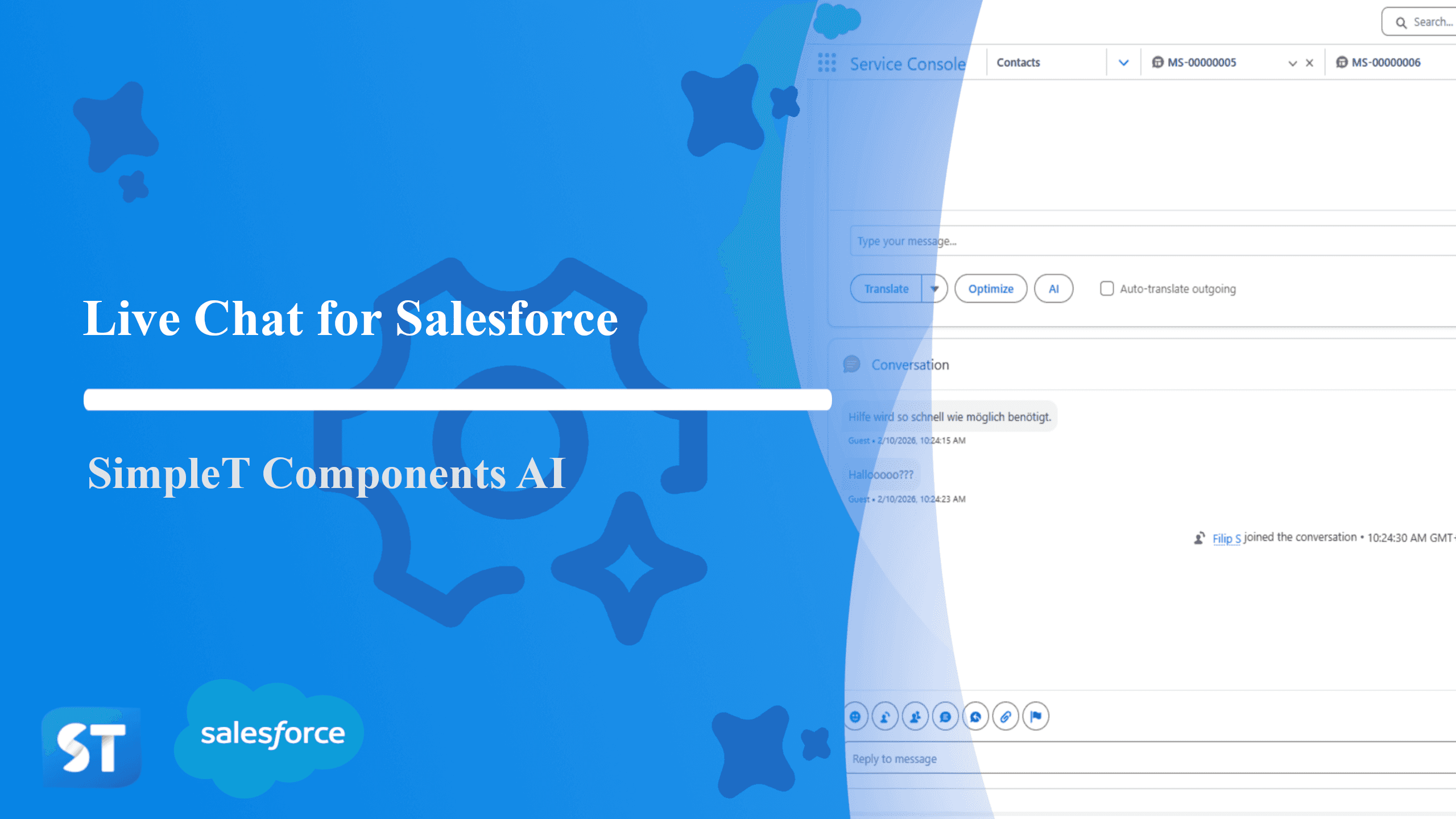
Empower your support and sales teams to communicate clearly, confidently, and instantly, across any language, with SimpleT’s Live Chat Translation Component. You need to have Enhanced Messaging setup in your Salesforce org in order to properly use the component.
What does it do?
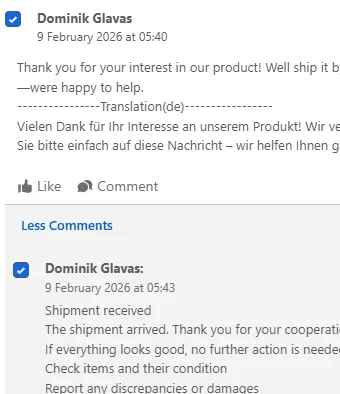
The Chatter Feed component empowers distributed teams to collaborate seamlessly across languages by embedding AI-powered translation and message optimization directly into Salesforce Chatter. It enables users to read, translate, and respond to team conversations in their preferred language—instantly and without leaving Salesforce.
The Problem
Global Teams, Language Barriers
Remote and distributed organizations increasingly rely on Chatter for real-time team communication. But language diversity creates friction.
This creates several recurring challenges:
Team members struggle to understand conversations in unfamiliar languages
Important context gets lost in translation or simply goes unread
Critical discussions exclude non-native speakers
Users resort to external translation tools, interrupting workflow and compromising data security
Message quality suffers when composed in non-native languages
Teams waste time clarifying misunderstood posts
These small friction points collectively reduce team cohesion, slow decision-making, and limit global collaboration effectiveness.
The Solution
Embedded, Instant Translation
The Chatter Feed component brings professional translation and message optimization directly into your team conversations.
There is no switching apps, no copy-paste, and no manual interpretation.
With the component in place, Salesforce users can:
Instantly translate any post or comment to their preferred language
Bulk-translate multiple items at once with intelligent language prioritization
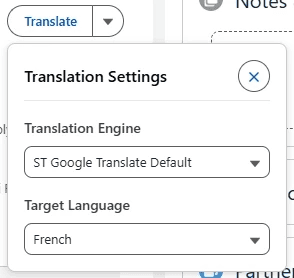
Choose between premium translation engines (DeepL, Google, AWS, AI)
Optimize message clarity and professionalism before posting
Maintain complete conversation history with all translations saved
Search and filter conversations across languages
Like, comment, edit, and delete posts seamlessly
This transforms Chatter from a language-isolated tool into a truly multilingual collaboration hub where every team member can participate fully, regardless of language background.
Translation & AI Features
Real-Time Translation
Every post and comment can be instantly translated to your preferred language. The component supports multiple translation engines:
DeepL - Premium quality for nuanced, natural translations
Google Translate - Fast and reliable for most language pairs
AWS Translate - Enterprise-grade translation service
AI-Powered Translation - Context-aware translations using advanced language models
Translations are automatically saved to your session, so you don't need to re-translate the same conversations when you return.
Bulk Translation
Need to translate multiple posts at once? Simply check the items you want to translate, select your target language and preferred engine, and translate everything in one action. The system intelligently prioritizes languages based on your team's detected language patterns.
Message Optimization
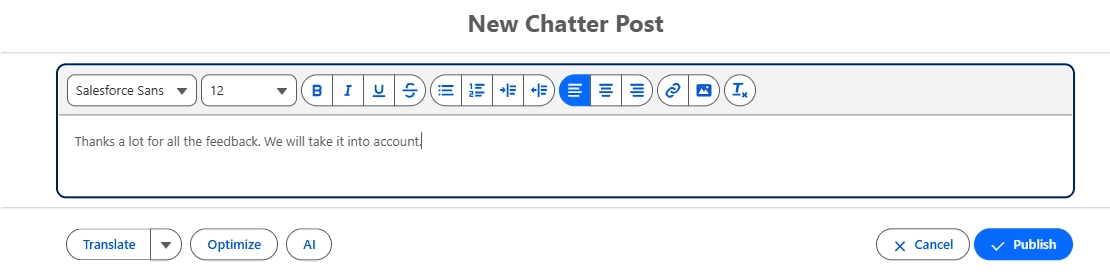
Before posting, use AI-powered optimization to:
Improve grammar and spelling
Enhance clarity and professional tone
Ensure your message conveys the intended meaning
Review changes before committing to post
Before optimization:
After optimization:
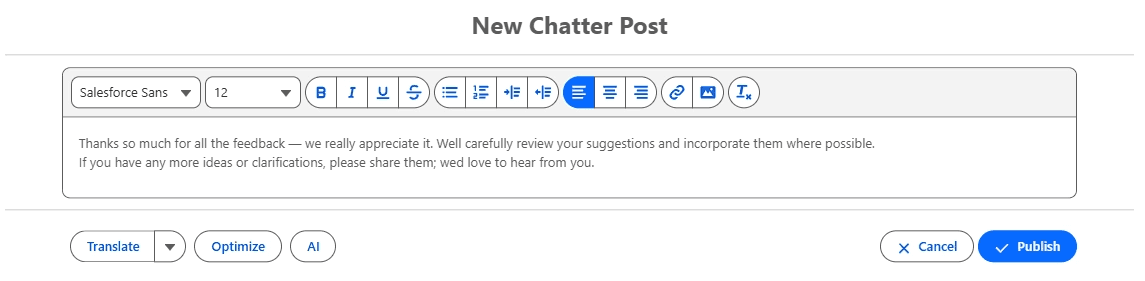
This is especially valuable when composing in non-native languages, helping team members communicate with confidence.
Automatic Language Detection
The component automatically detects the language of incoming messages, making it easier to identify which conversations may need translation. Manual language selection is also available when needed.
AI Modal - Interactive AI Assistant
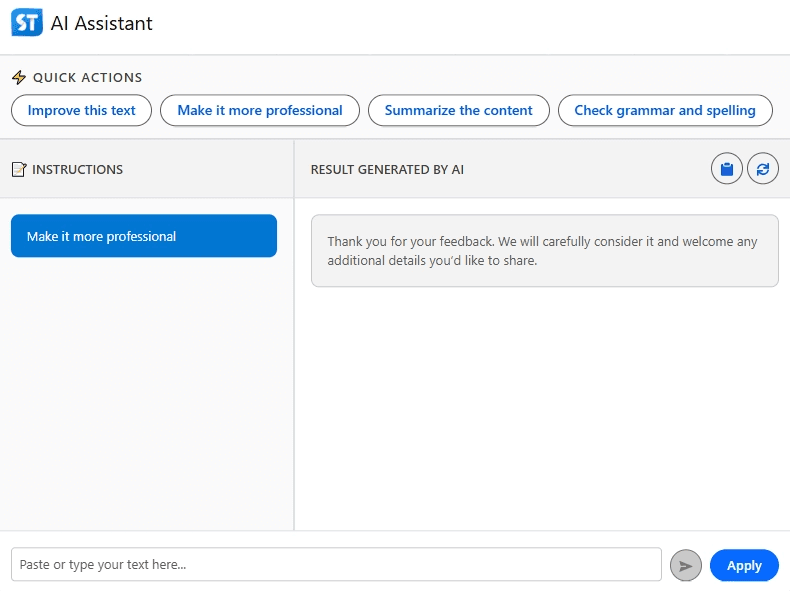
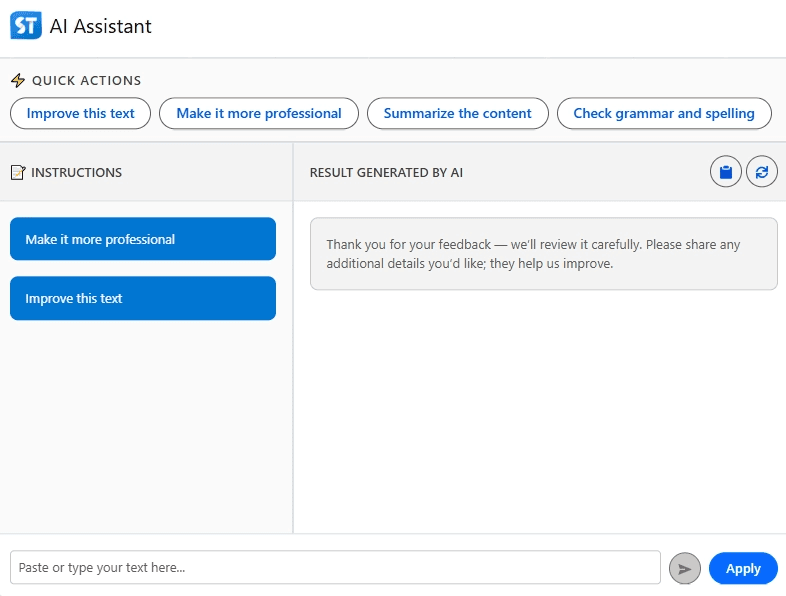
The integrated AI modal gives you an intelligent chat interface with the AI agent. You have full control over how the AI assists with your text:
Custom prompts - Tell the AI exactly what you want: "Make this more formal", "Simplify this explanation", "Add more details", or any custom instruction
One-click quick actions - Use pre-built suggestions like:
"Improve this text" - Enhance grammar, clarity, and flow
"Make it more professional" - Adjust tone for formal communications
"Summarize" - Create concise versions of longer messages
Interactive refinement - Ask follow-up questions and refine the AI's suggestions iteratively
The AI modal works like a personal writing assistant, helping you craft the perfect message before posting it to your team.
Key Business Benefits
1. Inclusive Global Communication
Non-native speakers can now understand every team conversation. No one gets left out. Decisions happen faster when everyone can participate.
2. Improved Message Quality
AI optimization helps team members compose professional, clear messages before posting, reducing misunderstandings and creating a more polished team presence.
3. Zero Workflow Interruption
Translation happens inside Salesforce. Users stay focused on conversations without switching between apps or copying text elsewhere.
4. Flexible Translation Control
Choose between multiple translation engines and languages on-demand. Detect language automatically or manually select your preference.
5. Permanent Translation History
Translations are saved automatically. Revisit conversations later with translations already in place, with no need to re-translate.
6. Secure, Compliant Translation
Uses trusted AI translation services with standard security measures, ensuring sensitive team communications are processed safely and in line with organizational compliance requirements.
7. Scalable Across the Organization
The same translation and optimization capabilities can be embedded wherever Chatter appears:
Record feeds (Accounts, Opportunities, Cases)
Custom objects
Service channels
Campaign collaboration
And more
This allows organizations to scale the benefit across their entire Salesforce ecosystem.
Published:
Back to the Articles List